


Steam
3.136.34K Reviews
App Specs
- Version
- 3.10.9
- Updated On
- License
- Free
- Downloads
- 100,000,000+
- Developer
- Valve Corporation
- Categories
- Entertainment
- Platform
- Android, iOS
Screenshots

 Analysis by AppCompare
I use Steam mainly as a mobile companion to my PC gaming life, and that distinction matters: it is useful to have the store and account close at hand, but it is not a way to turn every PC game into a phone game. If you already buy or play games through Steam, the app can make everyday account and library tasks easier. If you want a standalone mobile game collection, you may find it less satisfying.
What the free price does—and does not—mean
The app is free, so trying it does not require an upfront purchase. That is a straightforward advantage if you want to check your Steam account or browse games from your phone. It should not be confused with every game being free: the app is a gateway to Steam, while games and other purchases are separate decisions. I would judge its value by whether its mobile tools are useful to you, not by assuming the app unlocks a library at no cost.
Steam is an Entertainment app from Valve Corporation. It has been available since January 26, 2012, and its current version is 3.10.9. The app is rated Teen, and it requires Android 8.0 or later on Android devices. It has a 3.1 average from around 1.1 million ratings, with roughly 36,000 written reviews, and has passed 100 million installs. Those figures suggest a very widely used service, but the modest average is also a reminder that a large audience does not mean every person will find the mobile experience smooth or useful.
Where the value shows up in a normal week
For me, the strongest case is convenience around a larger Steam setup. Imagine you hear about a game while commuting, then want to check whether it is in the store, read player feedback, or save it for later without opening a computer. A phone is often the device already in your hand, so doing that small bit of research there can make the eventual purchase decision less rushed. The app earns its place when it removes these little interruptions from your routine.
It can also help you keep track of the social side of PC gaming when you are away from your desk. Checking in with friends or following community conversations on a phone is a different, lighter task from sitting down to play. I find that useful for staying connected without treating every message as a reason to boot up a computer. If your friends mostly use another chat service, though, Steam’s social tools may not replace the place where your group already talks.
One practical habit is to use mobile browsing for discovery and leave the final buying decision until you have time to check the game properly. Player reviews can reveal recurring complaints that a short description will not: issues with controls, pacing, or the kind of commitment a game expects. I would read several opinions rather than treating one glowing or angry review as a verdict. This is especially helpful for unfamiliar genres, where your own tastes may not match the broad consensus.
Discovering the World of Steam
First things first, if you haven't heard of Steam yet, let me fill you in. It’s essentially the Netflix of the gaming world. Whether you're into indie gems, massive multiplayer games, or the latest AAA titles, Steam's got it all. And the best part? You can access this treasure trove right from your smartphone or tablet.
Worth Reading Before You Choose

Baby Panda World Brings Quick Play to Modern Phones, but Its Game Library Feels Busy

ESPN’s Live Game View Makes Following Close Games Easier

QuizzLand Review: A Good Fit for Short Trivia Breaks, Not Every Player

Basketball Stars: Multiplayer Is Fast, but Can It Recover When Matches Go Wrong?

WEBTOON Turns Phone Updates Into a Better Reading Routine

Link to Windows Runs on Shared Habits, Not Social Feeds
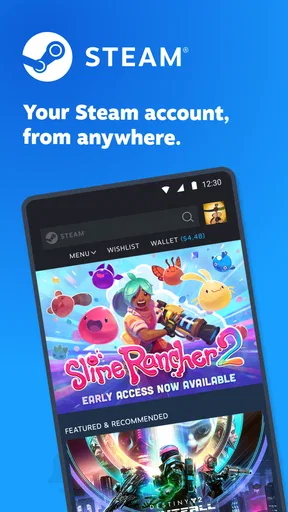
Getting started with Steam is a breeze. You simply download the app, create an account, and voilà, a whole world of games awaits. The app interface is pretty clean, with a slick design that makes navigation intuitive. I especially love how the home screen showcases trending games and personalized recommendations based on your gaming history. It’s like the app knows me better than I know myself!
Game Library and Features
Now, let's talk about the game library because, honestly, it’s incredible. From action-packed adventures to relaxing puzzle games, the selection is vast. I found myself going down rabbit holes of genres I never thought I’d enjoy. The app also provides detailed descriptions, reviews, and ratings for each game, so you can make informed decisions before hitting that download button.
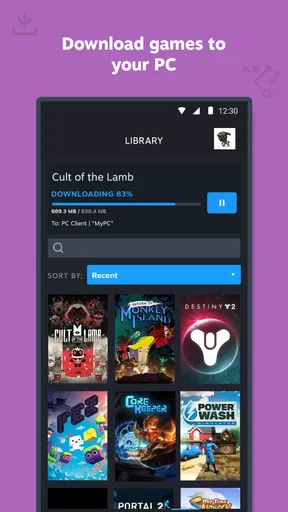
One feature that stands out is the cross-platform play. This means you can start a game on your PC and continue it on your phone. It’s perfect for when I'm on the go but still want to squeeze in some gaming time. Plus, the cloud saves are a lifesaver, ensuring my progress is never lost, even if I switch devices.
Community and Social Interaction
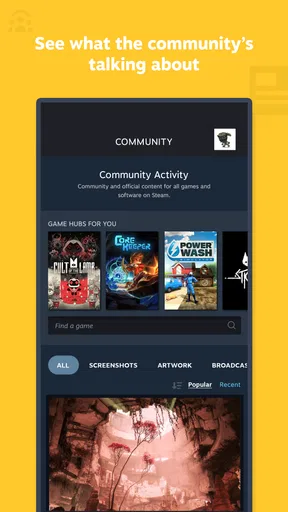
What’s gaming without a community, right? Steam has built a vibrant community where gamers can connect, share tips, and even compete. The app’s chat feature is great for keeping in touch with your gaming buddies or finding new ones. I’ve had countless discussions in forums about game strategies, and it’s always fun to see different perspectives from around the world.
Another cool aspect is the Steam Workshop, where you can find mods and custom content created by other players. It’s a fantastic way to personalize your games and add a unique twist to your gaming experience.
Why Steam Stands Out
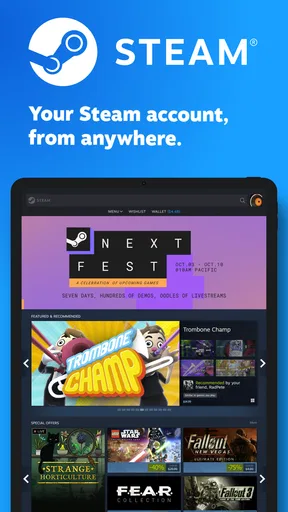
What makes Steam truly unique is its regular sales and discounts. Honestly, who doesn’t love a good bargain? The seasonal sales are legendary, often offering massive discounts on popular titles. You can also find bundles that contain multiple games at a fraction of the total price. I’ve saved a ton of money thanks to these deals, and it’s always exciting to see what’s on offer.
Moreover, the app's user reviews and ratings are incredibly helpful. They’re honest and give a real sense of what to expect from a game. It’s like having a friend guide you through the gaming jungle, helping you avoid the duds and find the gems.
What to expect from the phone experience
A common question is whether installing the app lets you play your whole PC library on a phone. I would not approach it that way. Steam on mobile is best understood as an account, browsing, and community companion; the games themselves remain tied to the platforms and requirements of each title. Check a game’s supported devices before assuming it will run on your phone. If your priority is playing on a handset without extra setup, a dedicated mobile game or a mobile storefront built around phone games is usually a better fit.
Likewise, “cross-platform” can mean different things in different games. A shared account, a saved game, and the ability to play the same session across devices are not interchangeable. I would check the specific game’s details rather than assume that progress transfers or that a PC purchase includes a phone version. That small check prevents a frustrating surprise after you have already planned a commute or trip around continuing a game.
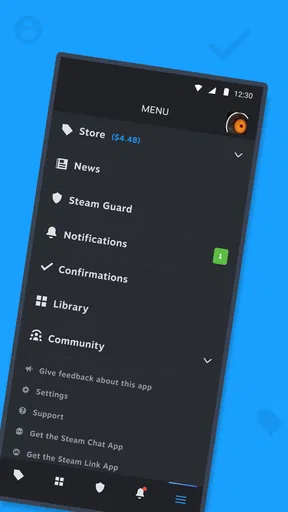
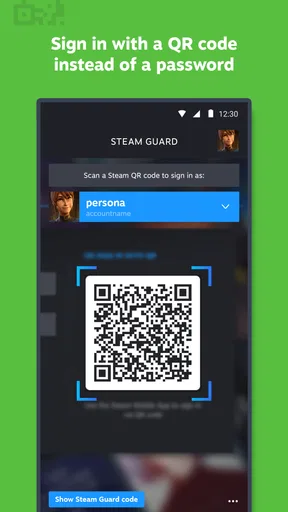
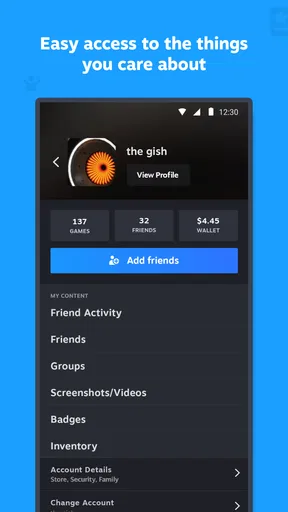
For account access, I would also treat the phone as part of your security routine, not merely a storefront. Keep your sign-in details private, and make sure you can still reach your account if you change or lose your device. The practical benefit is being able to manage Steam while away from a computer; the trade-off is that account access on a phone should be handled as carefully as access on your main machine.
Choosing between Steam and other ways to browse
Compared with a general app store, Steam is more useful when your decisions revolve around PC games, their player discussions, and your existing Steam library. A phone’s regular store is more convenient if you simply want to find something designed for touch controls and install it directly on that phone. The two serve different habits. I would not replace a mobile app store with Steam, and I would not expect a general app store to offer the same connection to a Steam gaming account.
Compared with opening Steam on a desktop, the mobile app trades a fuller browsing and playing setup for quick access. A larger screen is easier when you want to compare several games, inspect details, or settle in for a long session. The phone is better for a quick check, a message, or keeping an eye on a game you might buy later. For me, that makes the app complementary rather than a substitute for the desktop client.
It is also worth separating community convenience from community quality. Forums and reviews can help you understand how other players feel, but they are still opinions, and a busy discussion is not the same as reliable guidance for your personal taste. I use them to spot patterns and ask better questions, then decide whether those issues matter to me. If you prefer a quiet, curated recommendation rather than a stream of player discussion, the social depth may feel like clutter.
Game Library and Features
Now, let's talk about the game library because, honestly, it’s incredible. From action-packed adventures to relaxing puzzle games, the selection is vast. I found myself going down rabbit holes of genres I never thought I’d enjoy. The app also provides detailed descriptions, reviews, and ratings for each game, so you can make informed decisions before hitting that download button.
One feature that stands out is the cross-platform play. This means you can start a game on your PC and continue it on your phone. It’s perfect for when I'm on the go but still want to squeeze in some gaming time. Plus, the cloud saves are a lifesaver, ensuring my progress is never lost, even if I switch devices.
Community and Social Interaction
What’s gaming without a community, right? Steam has built a vibrant community where gamers can connect, share tips, and even compete. The app’s chat feature is great for keeping in touch with your gaming buddies or finding new ones. I’ve had countless discussions in forums about game strategies, and it’s always fun to see different perspectives from around the world.
Another cool aspect is the Steam Workshop, where you can find mods and custom content created by other players. It’s a fantastic way to personalize your games and add a unique twist to your gaming experience.
Why Steam Stands Out
What makes Steam truly unique is its regular sales and discounts. Honestly, who doesn’t love a good bargain? The seasonal sales are legendary, often offering massive discounts on popular titles. You can also find bundles that contain multiple games at a fraction of the total price. I’ve saved a ton of money thanks to these deals, and it’s always exciting to see what’s on offer.
Moreover, the app's user reviews and ratings are incredibly helpful. They’re honest and give a real sense of what to expect from a game. It’s like having a friend guide you through the gaming jungle, helping you avoid the duds and find the gems.
How I would use it without overspending
Browsing a sale on a phone can make it tempting to buy quickly, especially when a title looks familiar or a discount feels urgent. My approach is to add interesting games to a personal shortlist, read a spread of reviews, and make the purchase only when I have decided I actually want to play. That turns the app into a planning tool instead of a trigger for impulse spending. The app being free does not change the cost of any game you choose to buy.
I would also keep separate notes on what I want from a game: a short session, a story to finish, or something to play with friends. That makes recommendations and reviews easier to judge. A title praised for deep systems may be a poor match if I only have a few minutes, while a game with a smaller audience may suit me perfectly. Steam gives me a place to browse and compare, but the final filter still has to be my own schedule and taste.
For someone new to Steam, the key question is not whether the app has lots to look at; it is whether there is a reason to connect it to an account and gaming routine. If you have friends there, a PC library there, or like exploring game discussions, the phone app has a clear role. If you are not interested in that ecosystem, its breadth can feel like a lot of browsing without much payoff.
Who will get the most from it
I would recommend it to people who already use Steam on a computer and want a convenient way to stay connected while away from their desk. It is also a reasonable starting point for someone exploring PC games who wants to browse descriptions and player opinions on a phone before making a decision. The Teen content rating is useful context for families, though it is still sensible to look at the details of individual games rather than assume every title suits every teenager.
On the other hand, I would skip it if your main goal is to play games directly on a phone, if you have no interest in a Steam account, or if you prefer to keep gaming discussions and purchases in separate services. People who rarely check messages or browse games away from a computer may install it and then find they hardly open it. In that case, the desktop experience alone may be enough.
Final Thoughts
In conclusion, Steam is a must-have app for any gaming enthusiast. Its extensive library, community features, and regular sales make it a standout choice for both casual and hardcore gamers. The app brings the joy of gaming right to your device, ensuring you’re always entertained, no matter where you are.
So, whether you’re looking to dive into a new adventure or simply want a quick gaming fix, Steam has you covered. Go ahead, give it a try, and let the gaming begin!
Pros
- Extensive game library available.
- Frequent sales and discounts.
- User-friendly interface.
- Community features like forums.
- Cross-platform support.
Cons
- Large app size.
- Occasional connectivity issues.
- Limited customization options.
- Frequent updates required.
- Can be resource-intensive.
FAQs for Steam
What is Steam and how does it work?
Steam is a digital distribution platform for PC games and software developed by Valve Corporation. It allows users to purchase, download, and manage games and applications. With features like cloud saving, friends lists, and in-game chat, Steam offers a comprehensive gaming experience. It's a hub for gamers to explore a vast library of titles, from indie to AAA games.
Is Steam free to use?
Yes, Steam is free to download and use. However, while the platform itself is free, users need to purchase games and software unless they are labeled as free-to-play. Steam often offers sales and discounts, providing opportunities to purchase games at reduced prices. Additionally, the platform occasionally features free weekends for select games.
What are the system requirements for using Steam?
Steam is compatible with Windows, macOS, and Linux operating systems. The basic requirements include a stable internet connection and sufficient storage space for downloading games. Specific hardware requirements depend on the individual games you want to play. It's important to check each game's specifications on its store page to ensure compatibility with your system.
How does Steam handle game updates?
Steam automatically updates your games when connected to the internet. This ensures that you always have the latest version with the newest features and bug fixes. Users can manage update settings in the Steam client, allowing you to schedule updates or choose to update games only when you launch them.
What should I do if I encounter issues with Steam?
If you experience problems with Steam, first check the official Steam Support site for solutions and FAQs. The platform provides a wealth of information on troubleshooting common issues. Additionally, you can access the Steam Community forums to seek help from other users or contact Steam Support directly for more specific assistance.


